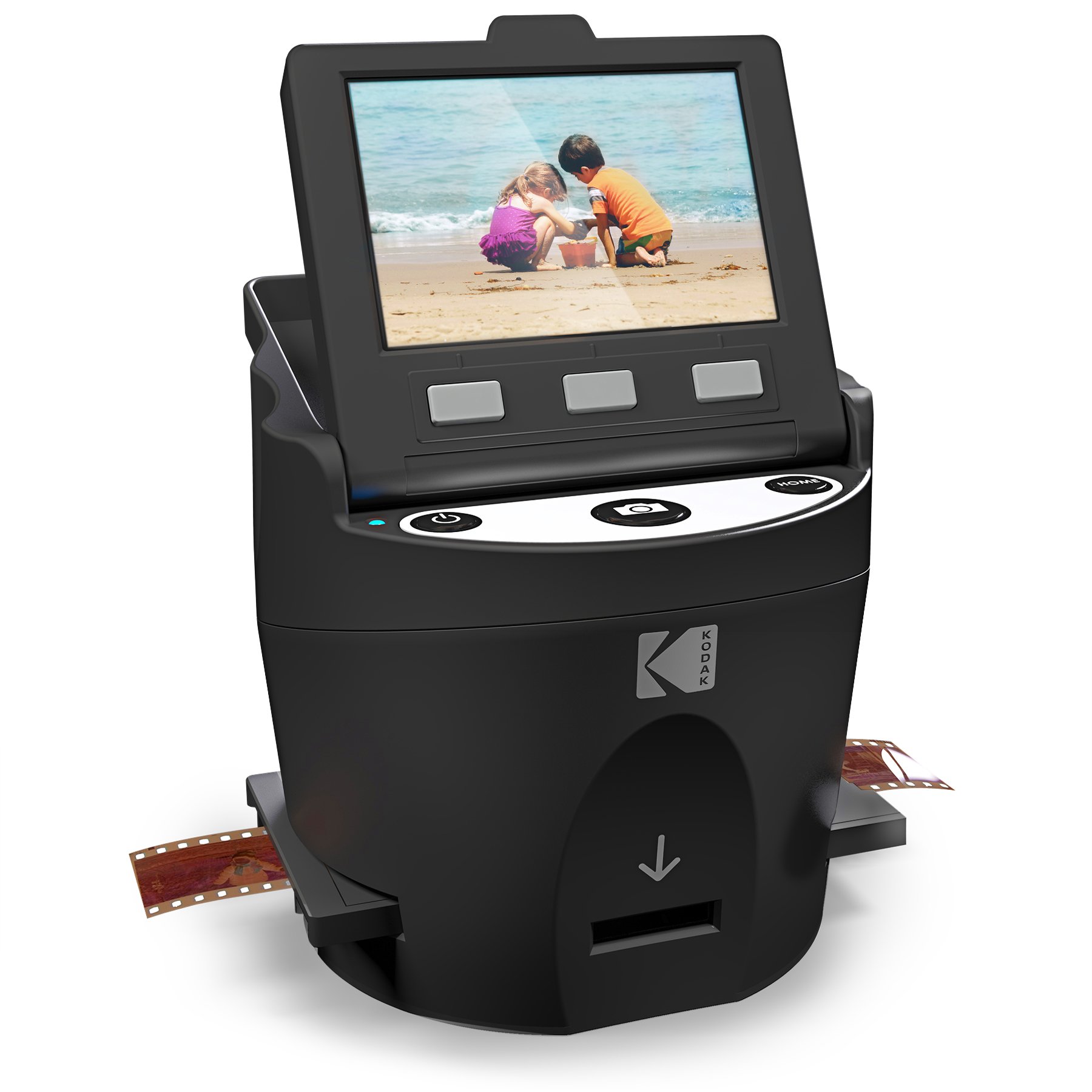
The Kodak SCANZA Film & Slide Scanner is designed to turn selected film negatives and slides into JPEG files, with an on-device display for previewing and editing.
This kodak scanza film scanner review looks at its format range, hands-on workflow, and the compromises to consider before choosing it for an archive project.
Kodak SCANZA Scanner Review Summary
The quick verdict
11,000+ ratings
Read Amazon ReviewsKodak SCANZA Film & Slide Scanner
A practical fit for families digitizing several supported film formats who want to preview and save JPEGs without a computer at every step.
- Converts 35mm, 126, 110, Super 8, and 8mm negatives and slides to JPEG digital files.
- Supports 14MP or 22MP output modes, as described for the scanner.
- Built-in 3.5-inch TFT color LCD has adjustable brightness and a tilt function.
- Includes multiple film inserts and adapters, along with a tray and insert directory.

Pros
- Supports a broader mix of named formats than a scanner limited to common 35mm negatives and slides.
- The built-in screen allows previewing and adjusting images at the scanner.
Consider before buying
- The SD card needed to save scans is a separate purchase.
- Compatibility is limited to the listed formats, so collections containing other film types need another solution.
Read the full review summary
SCANZA’s strongest appeal is its combination of support for 35mm, 126, 110, Super 8, and 8mm film with included inserts and adapters.
It also brings scanning, basic image adjustments, and gallery viewing together on a unit with a bright, tilting 3.5-inch color display, so routine conversion does not have to center on a computer screen.
It suits home users who want to work through mixed collections in those formats and save digital copies to an SD card.
The card is sold separately, and the device does not cover film formats outside the ones listed.
Buyers should also be comfortable with a compact display and a one-frame-at-a-time scanning workflow rather than expecting a full archival or lab-style setup.
The buying factors
Kodak SCANZA Scanner Scorecard
Editorial scores reflect listed features and buyer fit; they are not laboratory measurements or customer ratings.
Supported film formats
Covers five named formats, including Super 8 and 8mm; the stated compatibility boundary is clear.
On-device preview
The 3.5-inch color display tilts and has adjustable brightness for viewing and operation.
Loading flexibility
Multiple included inserts and adapters are intended to accommodate the supported film types.
Basic image control
RGB and resolution adjustments plus gallery browsing offer useful control, though the description does not detail advanced editing.
Standalone workflow
The unit can scan and save JPEG files to an SD card, avoiding a computer-centered capture process.
Setup completeness
Power, USB, HDMI, and video cables and a cleaning brush are included; buyers still need to supply the SD card.
Key Features and Specifications of Kodak SCANZA Scanner
- Converts 35mm, 126, 110, Super 8, and 8mm negatives and slides to JPEG digital files.
- Supports 14MP or 22MP output modes, as described for the scanner.
- Built-in 3.5-inch TFT color LCD has adjustable brightness and a tilt function.
- Includes multiple film inserts and adapters, along with a tray and insert directory.
- Offers RGB and resolution editing controls, gallery browsing, and one-touch scanning and saving.
- Saves to an SD card, which is not included; the stated supported capacity is up to 128GB.
- Includes USB power cable, HDMI cable, AC adapter, video cable, and a film cleaning brush; described as Mac and PC compatible.
Pros and Cons of Kodak SCANZA Scanner
Pros
- Supports a broader mix of named formats than a scanner limited to common 35mm negatives and slides.
- The built-in screen allows previewing and adjusting images at the scanner.
- Included format adapters and the directory can make it easier to match film to the correct insert.
- SD-card saving and included connection cables provide several ways to fit the scanner into a home workflow.
Consider before buying
- The SD card needed to save scans is a separate purchase.
- Compatibility is limited to the listed formats, so collections containing other film types need another solution.
- The 3.5-inch display is useful for previews but may feel small for extended image review; plan to use a larger screen if careful inspection matters.
Who Should Buy Kodak SCANZA Scanner?
Good fit
Consider the Kodak SCANZA if you have a mixed collection of 35mm, 126, 110, Super 8, or 8mm material and want a dedicated device for making JPEG copies.
Its included adapters, on-device controls, and SD-card saving are geared toward a straightforward home digitizing process.
It is especially worth considering when you want to preview images directly on the scanner and make basic RGB or resolution adjustments as you go.
Before buying, identify your film formats and arrange an SD card within the stated capacity limit; those two checks will help avoid a mismatch or an incomplete setup.
Who should skip it
Look elsewhere if your collection includes formats beyond 35mm, 126, 110, Super 8, and 8mm, or if your priority is a larger workspace for inspecting every image.
Check the scanner’s stated format list against your actual reels, strips, and slides before committing.
What the Kodak SCANZA Scanner Means for a Home Archive
A useful format range, with a firm boundary
Support for 35mm, 126, and 110 alongside Super 8 and 8mm makes SCANZA relevant to collections spanning still photography and home-movie film.
That range only helps when your material matches it, so confirm the format printed on film packaging or identify the reel or strip before planning a batch.
A screen-centered capture routine
The tilting 3.5-inch LCD, adjustable brightness, gallery, and basic editing options let you work through previews at the device.
That reduces dependence on a computer during capture, while a larger display may be more comfortable for reviewing fine details or making careful selections afterward.
Adapters and handling matter
The supplied inserts and adapters are central to the scanner’s flexibility: each film type needs a compatible path through the device.
The included directory and cleaning brush can help with setup and keeping dust off the light box, but a buyer should still plan to handle and align film carefully as each scan is made.
Plan storage before starting
JPEGs are saved to an SD card, and the stated supported capacity goes up to 128GB.
Since no card is included, choose one before beginning a large transfer and consider how you will organize files afterward; the description does not specify automatic naming or archival backup features.
Alternatives to Kodak SCANZA Scanner
Slide & Negative Scanners alternative
12,000+ ratings
Read Amazon ReviewsKodak Slide N SCAN Film & Slide Scanner
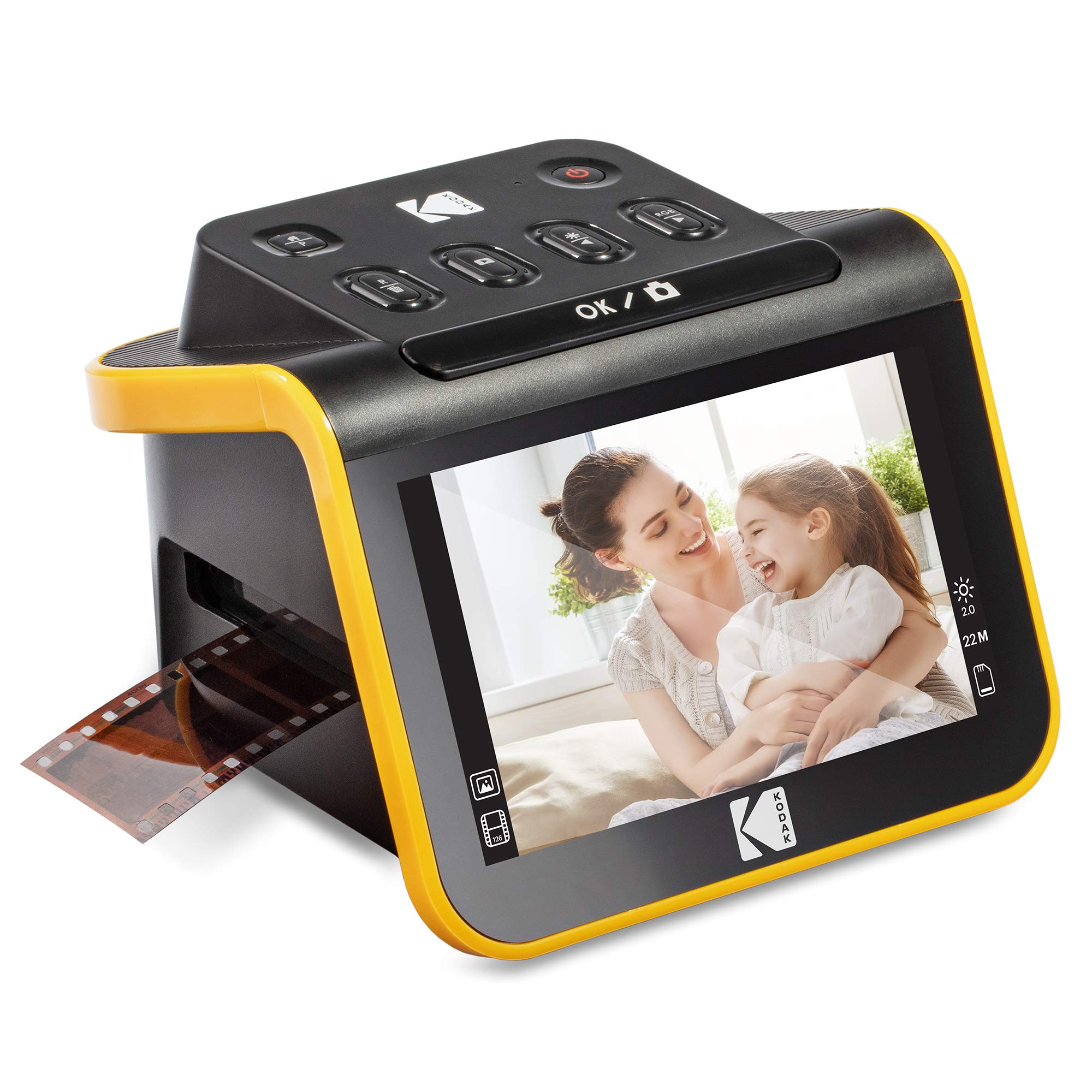
Choose SCANZA if Super 8 or 8mm conversion is central to your collection. Consider Slide N SCAN if your work is limited to its listed still-film formats and a larger preview screen with continuous loading is more useful.
- Slide N SCAN lists 135, 126, and 110 film and slides, a 5-inch LCD, continuous-feed tray, and direct SD-card saving; its stated card support is up to 32GB.
- The SCANZA supports 35mm, 126, 110, Super 8, and 8mm formats and has a 3.5-inch tilting display.
Slide & Negative Scanners alternative
100+ ratings
Read Amazon ReviewsHP FilmScan HPFS500
SCANZA is the closer fit for a collection that includes Super 8 or 8mm.
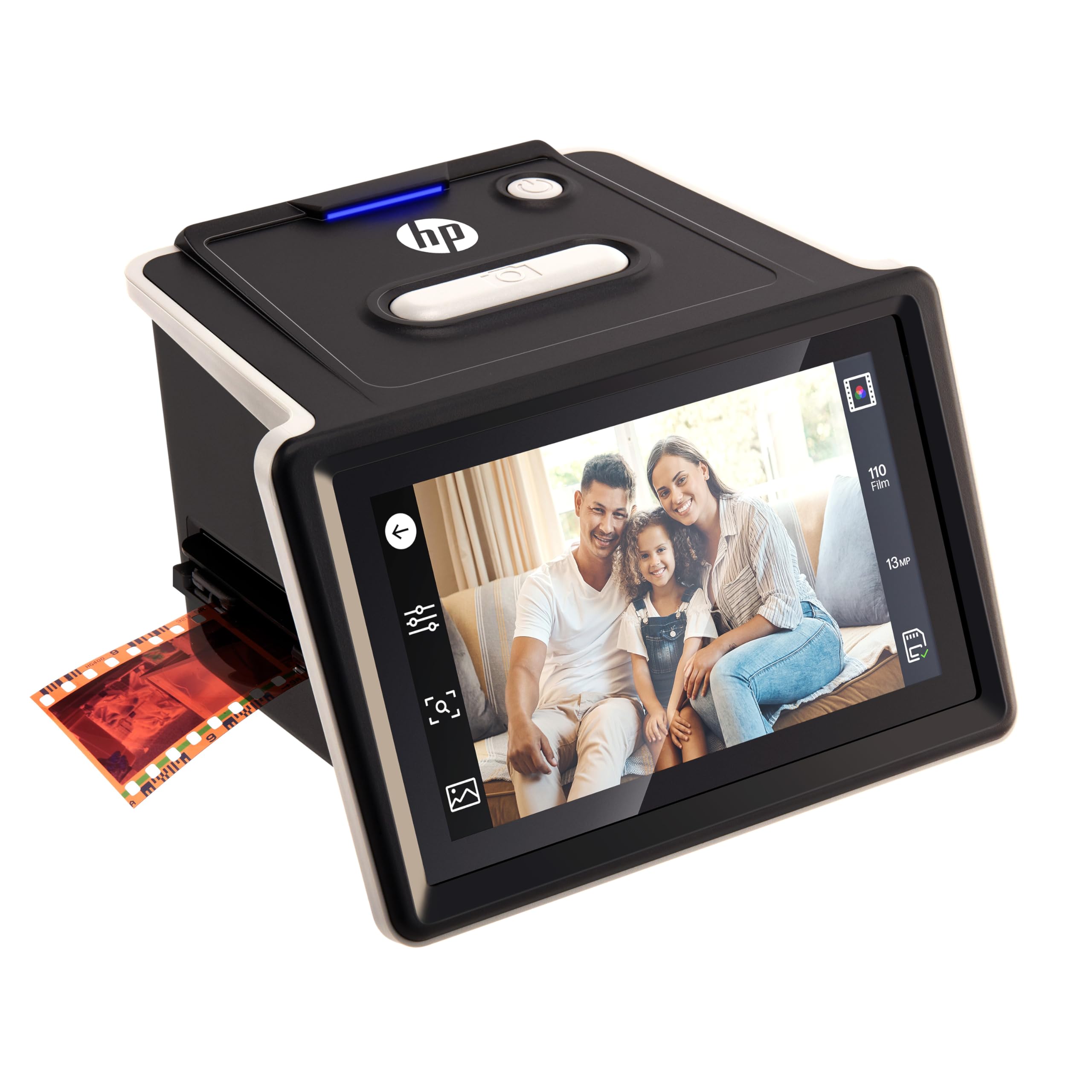
HP FilmScan may suit buyers focused on 135, 126, and 110 formats who prefer a larger touchscreen and USB-C power; compare the supported formats with your collection first.
- HP FilmScan lists 135, 126, and 110 film and slides, a 5-inch touchscreen, a 13MP CMOS sensor with 22MP interpolation, SD-card saving, and USB-C power.
- The SCANZA includes adapters for five named formats, including Super 8 and 8mm, and offers a 3.5-inch display.
Is Kodak SCANZA Scanner Worth It?
The Kodak SCANZA Film & Slide Scanner is worth considering for home users digitizing a collection that matches its five supported formats.
Its adapters, tilt-adjustable screen, basic editing, and SD-card workflow make it a versatile option for mixed film archives.
Buy it with a compatible SD card ready, and verify that every film type you plan to scan is on its support list.
If your material falls outside that range or you need a larger screen for close review, choose a device designed around those specific needs.
Your review at a glance
11,000+ ratings
Read Amazon ReviewsKodak SCANZA Film & Slide Scanner
A practical fit for families digitizing several supported film formats who want to preview and save JPEGs without a computer at every step.
- Converts 35mm, 126, 110, Super 8, and 8mm negatives and slides to JPEG digital files.
- Supports 14MP or 22MP output modes, as described for the scanner.
- Built-in 3.5-inch TFT color LCD has adjustable brightness and a tilt function.
- Includes multiple film inserts and adapters, along with a tray and insert directory.