The Phomemo Label Maker review centers on a compact Bluetooth printer for turning phone-made designs into labels for pantry containers, school supplies, folders, and more.
Its broad creative toolkit and ink-free printing suit everyday organizing, provided its tape widths and app-based workflow fit your routine.
Phomemo D30 Review Summary
The quick verdict
1,000+ ratings
Read Amazon ReviewsPhomemo D30 Label Maker
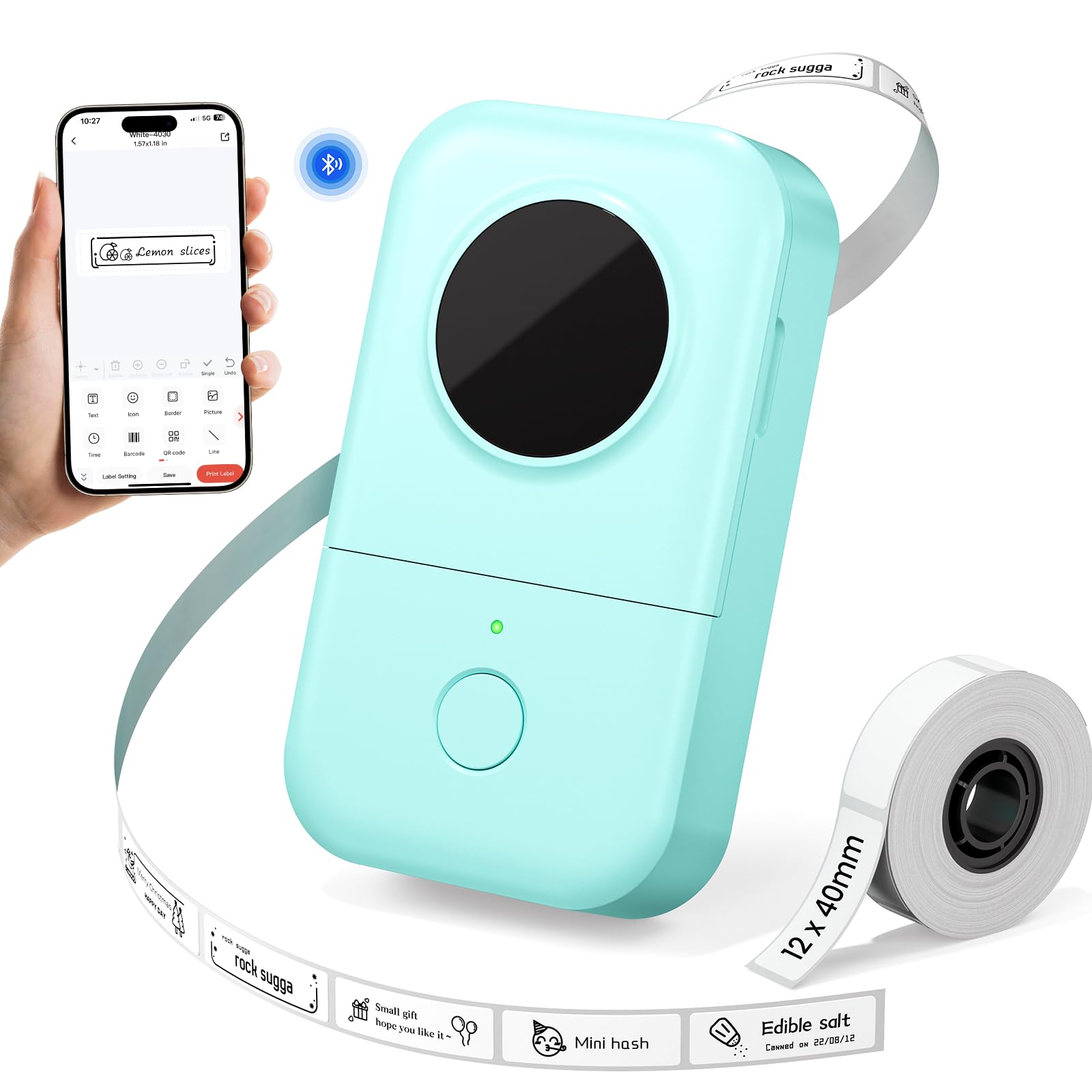
A pocketable thermal label maker for people who want phone-designed labels for jars, supplies, folders, and other everyday organizing tasks.
- Bluetooth connection supports printing from a mobile device through the Print Master app; the product instructions specify that app rather than the Phomemo app.
- The app offers more than 1,000 symbols, 60 frames, 120 fonts, and 60 borders for customized label layouts.
- Label content can include text, QR codes, barcodes, and images.
- Direct thermal printing works without ink, toner, or ribbons and has a listed resolution of 203 DPI.

Pros
- A wide selection of fonts and decorative elements supports labels that are easier to distinguish at a glance.
- Thermal printing avoids the need to replenish ink, toner, or ribbons.
Consider before buying
- The printing workflow depends on a phone and the Print Master app, so check app compatibility and comfort with phone-based editing.
- The supplied description notes that adhesive labels can leave residue; test placement on a less visible area when surface condition matters.
Read the full review summary
The Phomemo D30 combines a lightweight handheld format with an app-based design process and direct thermal printing.
Its stated range of symbols, frames, fonts, and borders gives you room to make labels more distinctive than plain typed strips, while support for QR codes and barcodes adds practical options for office files or item identification.
This model is best suited to people who label different kinds of small items and want to create designs from a phone.
The 203 DPI resolution, rechargeable battery, and support for four tape widths make it a versatile option for routine tasks; before buying, check that your preferred tape format and the required Print Master app match how you plan to use it.
The buying factors
Phomemo D30 Scorecard
Editorial scores reflect listed features and buyer fit; they are not laboratory measurements or customer ratings.
Design flexibility
The app includes more than 1,000 symbols, 60 frames, 120 fonts, and 60 borders, along with text, QR code, barcode, and image options.
Everyday portability
At 0.35 pounds, the small printer is easy to carry between rooms, classrooms, or work areas.
Label-size range
Compatibility with 6 mm, 12 mm, 14 mm, and 15 mm tapes covers several compact label formats.
Print-detail potential
The listed 203 DPI resolution is suited to clear text and common label content, though the description gives no print-speed detail.
Running convenience
Thermal printing avoids ink, toner, and ribbon supplies, and the 1,200 mAh rechargeable battery supports cordless use.
Adhesive flexibility
The labels are described as having strong adhesive, with a note that residue can remain; consider the surface before applying them.
Key Features and Specifications of Phomemo D30
- Bluetooth connection supports printing from a mobile device through the Print Master app; the product instructions specify that app rather than the Phomemo app.
- The app offers more than 1,000 symbols, 60 frames, 120 fonts, and 60 borders for customized label layouts.
- Label content can include text, QR codes, barcodes, and images.
- Direct thermal printing works without ink, toner, or ribbons and has a listed resolution of 203 DPI.
- Compatible tape widths are 6 mm, 12 mm, 14 mm, and 15 mm.
- A 1,200 mAh rechargeable battery and Micro USB charging port support portable use.
- The printer weighs 0.35 pounds and is described as suitable for home, school, and office organizing.
Pros and Cons of Phomemo D30
Pros
- A wide selection of fonts and decorative elements supports labels that are easier to distinguish at a glance.
- Thermal printing avoids the need to replenish ink, toner, or ribbons.
- Four supported tape widths provide useful choice for small labels.
- The lightweight build and rechargeable battery suit organizing sessions in different locations.
Consider before buying
- The printing workflow depends on a phone and the Print Master app, so check app compatibility and comfort with phone-based editing.
- The supplied description notes that adhesive labels can leave residue; test placement on a less visible area when surface condition matters.
- The supported tape widths are relatively narrow, so check whether your intended label layout will fit before choosing this printer.
Who Should Buy Phomemo D30?
Good fit
Consider the Phomemo D30 if you want a small printer for organizing jars, storage boxes, food containers, school items, or office folders.
The selection of fonts, frames, borders, and symbols can help create visual groupings, while QR codes and barcodes extend its use to more information-rich labels.
It also makes sense for buyers who value a portable, rechargeable device and want to avoid ink-based supplies.
Review your label-size needs and confirm that you are comfortable creating designs in Print Master before purchasing; those practical details will shape how easily the printer fits into regular use.
Who should skip it
Look elsewhere if your work depends on wide-format labels, computer-based design, or a workflow that does not rely on a phone app.
The listed tape widths are 6 mm to 15 mm, and the described setup centers on Bluetooth and Print Master.
If you need labels to come away without residue, check the adhesive and test it on the intended surface before relying on it. The product description flags possible residue, which may matter for reusable containers or delicate finishes.
How the Phomemo D30 Fits Everyday Labeling
Creative options for small labels
The app’s large set of symbols, fonts, frames, and borders is useful when labels need to be recognizable across a shelf or classroom supply area.
Text, barcodes, QR codes, and images support more than simple naming, though each layout still has to work within the selected tape width.
Thermal printing and detail
Direct thermal printing avoids ink, toner, and ribbon purchases, simplifying the ongoing supply setup.
The 203 DPI resolution is a useful specification for compact text and common label elements, but the description does not provide a print-speed figure, so buyers with high-volume needs should weigh that uncertainty against their workload.
Portability and charging
The 0.35-pound weight makes the D30 easy to carry for labeling across a home, classroom, or office.
Its 1,200 mAh rechargeable battery supports cordless use, while the Micro USB charging port is the connection to account for when planning where and how to recharge it.
Adhesive and surface choice
Strong adhesive can help labels stay attached to frequently handled containers and supplies.
Since residue can remain, surface choice is part of the buying decision: try a label in an inconspicuous location first if you may later remove it or want to protect a finish.
Alternatives to Phomemo D30
Desktop Label Printers alternative
28,000+ ratings
Read Amazon ReviewsPhomemo D30 Label Maker with Three Tapes
Choose the reviewed D30 if the stated tape-width range and its 120 fonts and 60 borders are the better fit for your design needs.
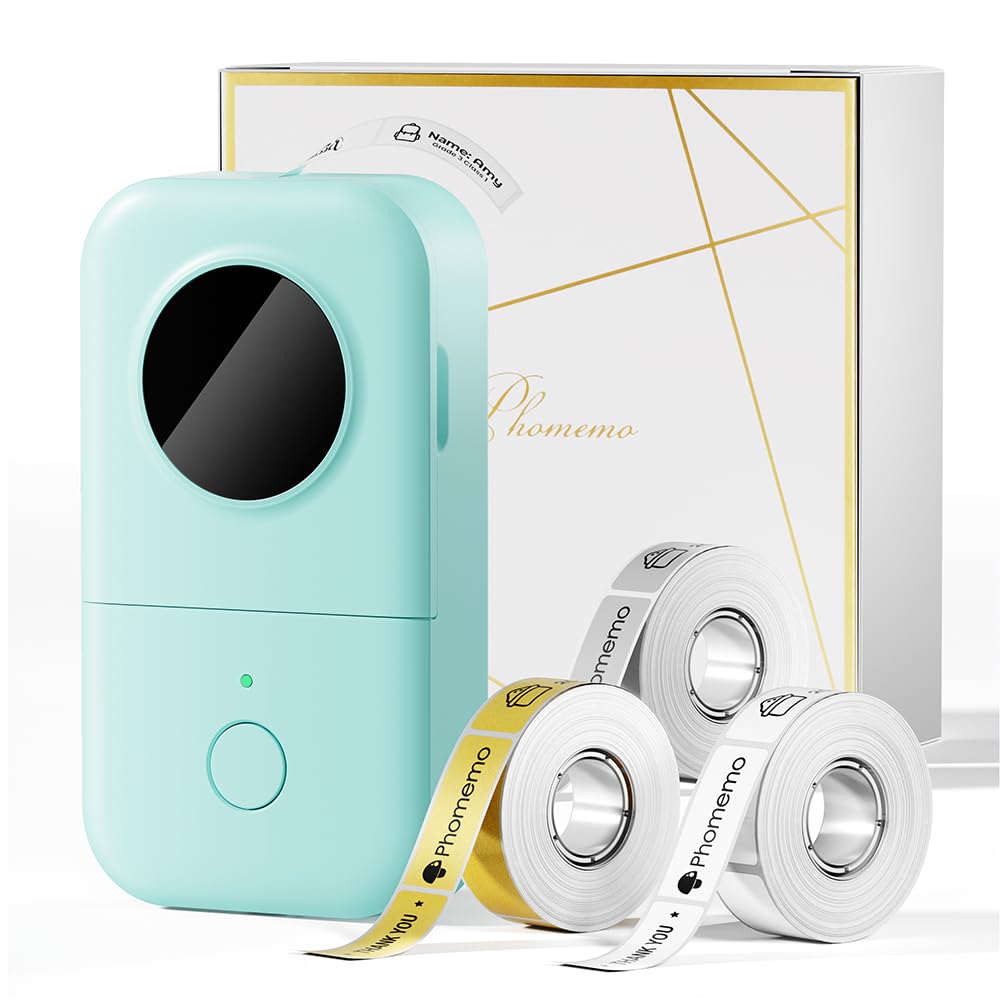
Consider this bundle if getting three tape colors in the box and choosing between continuous or fixed-length labels matter more; verify the tape sizes you need before deciding.
- This D30 bundle includes white, gold, and clear tapes, supports continuous and fixed-length labels, and lists more than 1,000 symbols and 110-plus frames.
- It prints black text only, with color effects coming from patterned tape.
- The reviewed D30 supports 6 mm, 12 mm, 14 mm, and 15 mm tapes and offers a large app-based design selection; the supplied description does not specify included tape rolls.
Desktop Label Printers alternative
14,000+ ratings
Read Amazon ReviewsNIIMBOT D110 Label Maker
The D30 is a strong fit if its listed tape widths and extensive decorative options suit your labeling style.
Consider the D110 if Type-C charging or batch printing is more relevant to your routine, while noting its phone-focused workflow and checking that its compatible labels meet your needs.
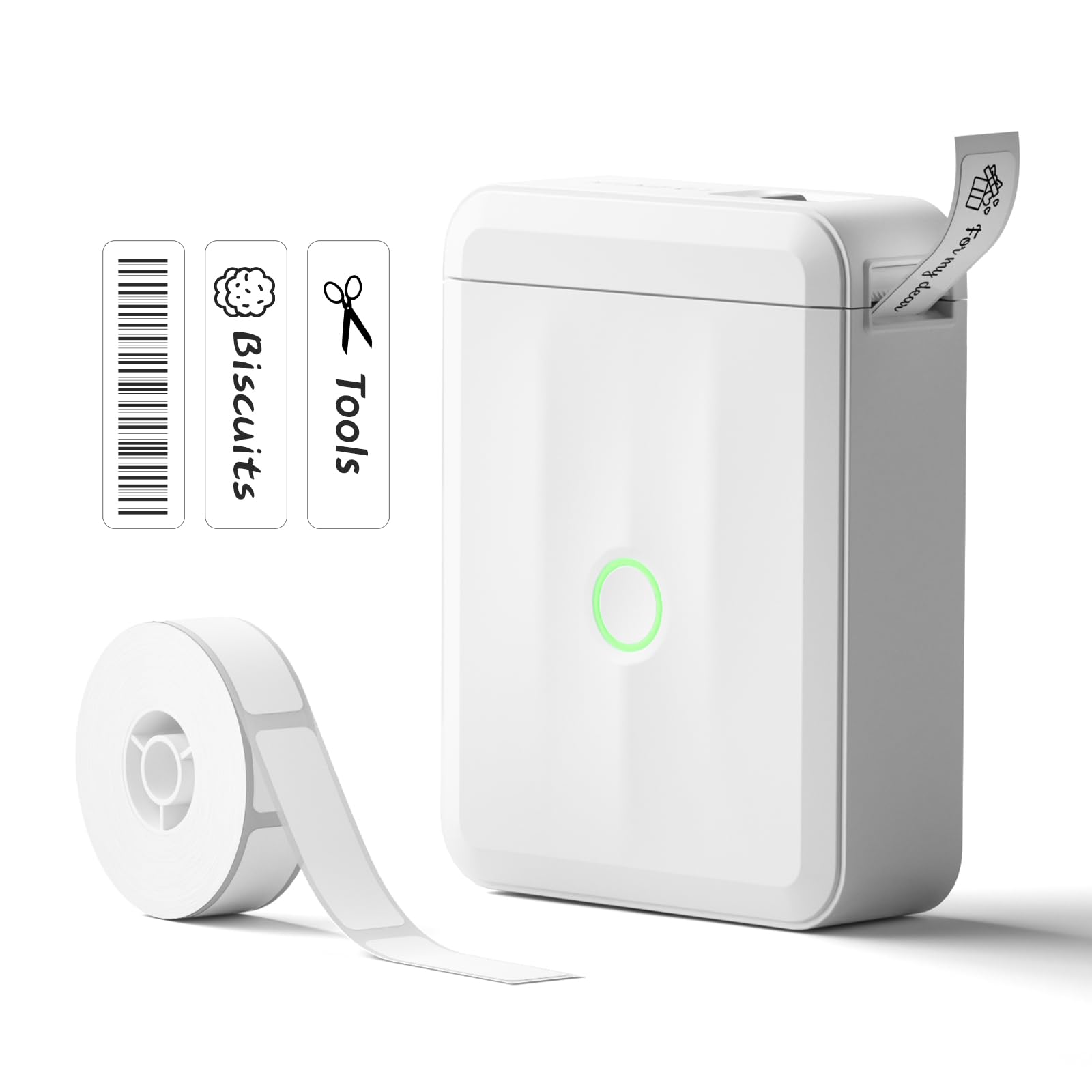
- The NIIMBOT D110 is a Bluetooth thermal label printer with 203 DPI, batch printing, and app-based use on iOS and Android.
- It supports several label types and sizes, uses a Type-C charging cord, and does not work with computers.
- The Phomemo D30 offers a choice of four narrow tape widths and a design toolkit with 120 fonts, 60 frames, and 60 borders.
Is Phomemo D30 Worth It?
The Phomemo D30 is worth considering for home, school, and office users who want a compact Bluetooth label maker with flexible app-based design tools and ink-free printing.
Its lightweight form, rechargeable battery, and four tape-width options cover many everyday organizing tasks.
Before buying, make sure the narrow tape formats work for your labels and that Print Master fits your phone-based workflow.
Also consider where you will apply the adhesive, since residue may remain; if those tradeoffs suit your use, the D30 is a capable choice for small, customized labels.
Your review at a glance
1,000+ ratings
Read Amazon ReviewsPhomemo D30 Label Maker
A pocketable thermal label maker for people who want phone-designed labels for jars, supplies, folders, and other everyday organizing tasks.
- Bluetooth connection supports printing from a mobile device through the Print Master app; the product instructions specify that app rather than the Phomemo app.
- The app offers more than 1,000 symbols, 60 frames, 120 fonts, and 60 borders for customized label layouts.
- Label content can include text, QR codes, barcodes, and images.
- Direct thermal printing works without ink, toner, or ribbons and has a listed resolution of 203 DPI.