These reviews liene pixcut s1 shoppers are likely weighing a compact creative workflow against the flexibility of separate printing and cutting tools.
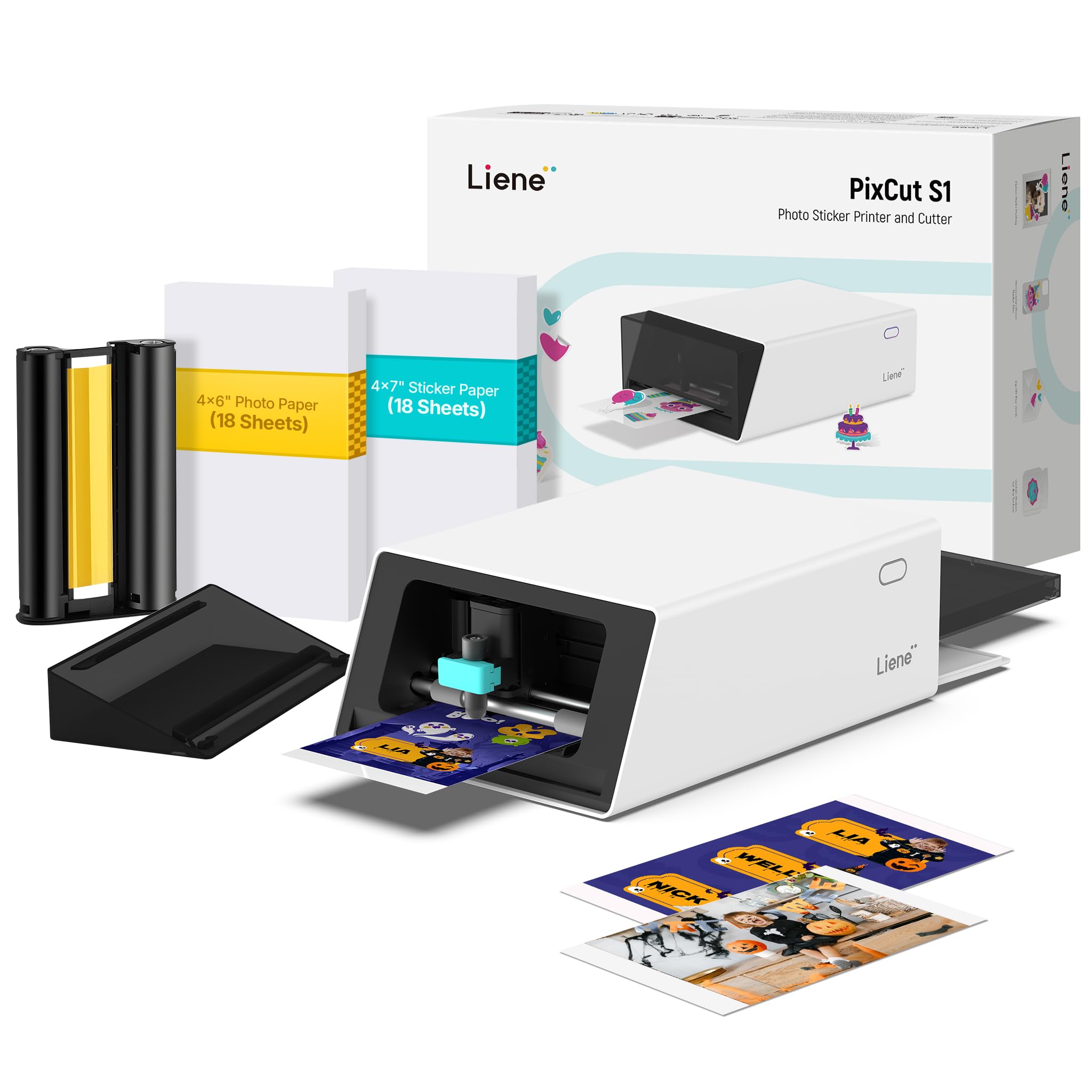
The PixCut S1 combines dye-sublimation printing, automatic lamination and AI-assisted cutting for photo stickers, labels and craft projects.
Liene PixCut S1 Review Summary
The quick verdict
700+ ratings
Read Amazon ReviewsLiene PixCut S1
A fit for craft makers who want to turn phone photos and designs into colorful, laminated stickers with printing and cutting in one device.
- Combines color photo printing and die cutting in one device.
- Uses thermal dye-sublimation printing at 300 dpi, with support for 16.7 million colors.
- AI image extraction recognizes and isolates subjects from photos to guide cutting around their edges.
- The Liene app supports smartphone printing over Bluetooth and is available for mobile, tablet and desktop.

Pros
- Combines printing and cutting in one machine, reducing the number of devices in a sticker-making workflow.
- Dye-sublimation printing and automatic lamination are tailored to colorful photo stickers.
Consider before buying
- The app-centered workflow may feel limiting to buyers who prefer designing and controlling every step with separate tools.
- Its 6.2-pound weight and desktop footprint call for a dedicated spot if it will be used often.
Read the full review summary
The PixCut S1 is designed to take an image from a mobile device to a finished cut sticker through a single app-led process.
Its 300 dpi dye-sublimation output, automatic lamination and subject extraction give hobbyists several ways to personalize photos and turn them into ready-to-use designs.
It makes the most sense for people who value convenience and creative templates over a broad production setup.
The app includes a large library of free images, fonts, elements and templates, while AI style effects add another option for creating artwork.
Before choosing it, consider whether your projects fit its sticker-focused workflow and whether you are comfortable designing from the supported app environment.
The buying factors
Liene PixCut S1 Scorecard
Editorial scores reflect listed features and buyer fit; they are not laboratory measurements or customer ratings.
Print detail
The stated 300 dpi resolution and dye-sublimation process are promising for detailed, colorful photo stickers.
Color potential
The product supports 16.7 million colors, making color-rich designs a central strength.
Print-and-cut convenience
Printing and cutting are combined in one device, with app control from a smartphone over Bluetooth.
Design tools
AI subject extraction, style effects and a large template library give casual makers several starting points.
Sticker durability
Automatic lamination is intended to produce waterproof and scratch-resistant stickers.
Workflow flexibility
Its creative workflow centers on the Liene app and sticker-oriented output, so it may not suit every print-and-cut project.
Key Features and Specifications of Liene PixCut S1
- Combines color photo printing and die cutting in one device.
- Uses thermal dye-sublimation printing at 300 dpi, with support for 16.7 million colors.
- AI image extraction recognizes and isolates subjects from photos to guide cutting around their edges.
- The Liene app supports smartphone printing over Bluetooth and is available for mobile, tablet and desktop.
- Four-layer dye-sublimation printing automatically laminates the photopaper; the resulting stickers are described as waterproof and scratch-resistant.
- The app offers more than 50,000 free images, fonts and elements, plus over 10,000 templates for projects such as labels, name tags, phone skins and journaling.
- Weighs 6.2 pounds and measures 11 by 7.7 by 4.1 inches.
Pros and Cons of Liene PixCut S1
Pros
- Combines printing and cutting in one machine, reducing the number of devices in a sticker-making workflow.
- Dye-sublimation printing and automatic lamination are tailored to colorful photo stickers.
- AI-assisted subject extraction can simplify making cutouts from personal photos.
- A broad selection of free templates and design elements gives users ready-made project starting points.
Consider before buying
- The app-centered workflow may feel limiting to buyers who prefer designing and controlling every step with separate tools.
- Its 6.2-pound weight and desktop footprint call for a dedicated spot if it will be used often.
- The stated two-minute creation time is a best-case convenience claim; project time will depend on the image, edits and cutting process.
Who Should Buy Liene PixCut S1?
Good fit
Consider the PixCut S1 if your main goal is to make personalized photo stickers, labels or small craft designs with a straightforward path from image to cutout.
Combining printing and cutting should appeal to hobbyists who do not want to coordinate a separate printer and cutter for this kind of project.
The app library may be especially useful if you enjoy customizing existing templates or starting from a phone photo rather than building every design from scratch.
AI subject extraction offers another shortcut for making an image into a sticker, while style effects can turn a photo into more playful artwork.
It is a more compelling fit when your output is mostly sticker-based and the listed design tools suit the way you like to work.
Check that the app platform and template approach match your devices and creative routine before committing.
Who should skip it
Look elsewhere if you need a general-purpose printing setup or a highly configurable production workflow beyond photo stickers and related crafts.
The supplied features focus on an integrated app-based sticker process, so buyers with specialized materials, formats or production needs should confirm compatibility before choosing it.
It may also be a poor match if you have very little workspace or prefer to keep design and cutting control in separate tools.
Its listed size and weight make it less suited to frequent moving between small work surfaces.
How the Liene PixCut S1 Fits a Sticker-Making Workflow
A single path from image to sticker
The all-in-one approach is the product's clearest practical advantage.
Smartphone editing and Bluetooth printing make it possible to start with a personal photo, while the integrated cutter is designed to finish the same project without transferring it to a separate machine.
For occasional craft sessions, reducing handoffs can make the process feel more approachable.
Color and finish for photo projects
Dye-sublimation printing at 300 dpi, with a stated 16.7 million colors, positions the PixCut S1 around colorful image output.
Automatic lamination adds a protective layer as the photopaper is printed, which is a useful design choice for stickers handled in everyday settings.
Buyers should still think about the intended surface and exposure when deciding whether a finished sticker is suitable for a particular use.
AI tools as a creative shortcut
Subject extraction is intended to find a photo's main subject and help the cutter follow its outline.
That can be handy for portraits, pets or other recognizable subjects, though the result will depend on the image and the cut you want.
AI style effects and a large template collection also help users begin with an existing look instead of a blank canvas.
Space and app fit
At 11 by 7.7 by 4.1 inches and 6.2 pounds, the unit is compact compared with many desktop craft setups, but it still benefits from a stable place to operate.
Since the workflow relies on the Liene app across mobile, tablet and desktop, check that your preferred device and working habits fit before buying.
The free design library may offer plenty to explore, but the central question is whether its available templates and editing approach match your projects.
Alternatives to Liene PixCut S1
No alternative model is recommended here. Compare the design and features that matter to your routine before choosing another option.
Is Liene PixCut S1 Worth It?
The Liene PixCut S1 is worth considering for craft makers who want an app-led way to make colorful, laminated photo stickers without pairing separate printing and cutting devices.
Its AI-assisted extraction and extensive template library support casual personalization, while the combined workflow keeps the setup focused.
Buy it if your projects align with sticker and label creation and you have room for a dedicated desktop device.
If you need broader production flexibility or prefer a different design workflow, confirm that the app, materials and output fit your needs before deciding.
Your review at a glance
700+ ratings
Read Amazon ReviewsLiene PixCut S1
A fit for craft makers who want to turn phone photos and designs into colorful, laminated stickers with printing and cutting in one device.
- Combines color photo printing and die cutting in one device.
- Uses thermal dye-sublimation printing at 300 dpi, with support for 16.7 million colors.
- AI image extraction recognizes and isolates subjects from photos to guide cutting around their edges.
- The Liene app supports smartphone printing over Bluetooth and is available for mobile, tablet and desktop.