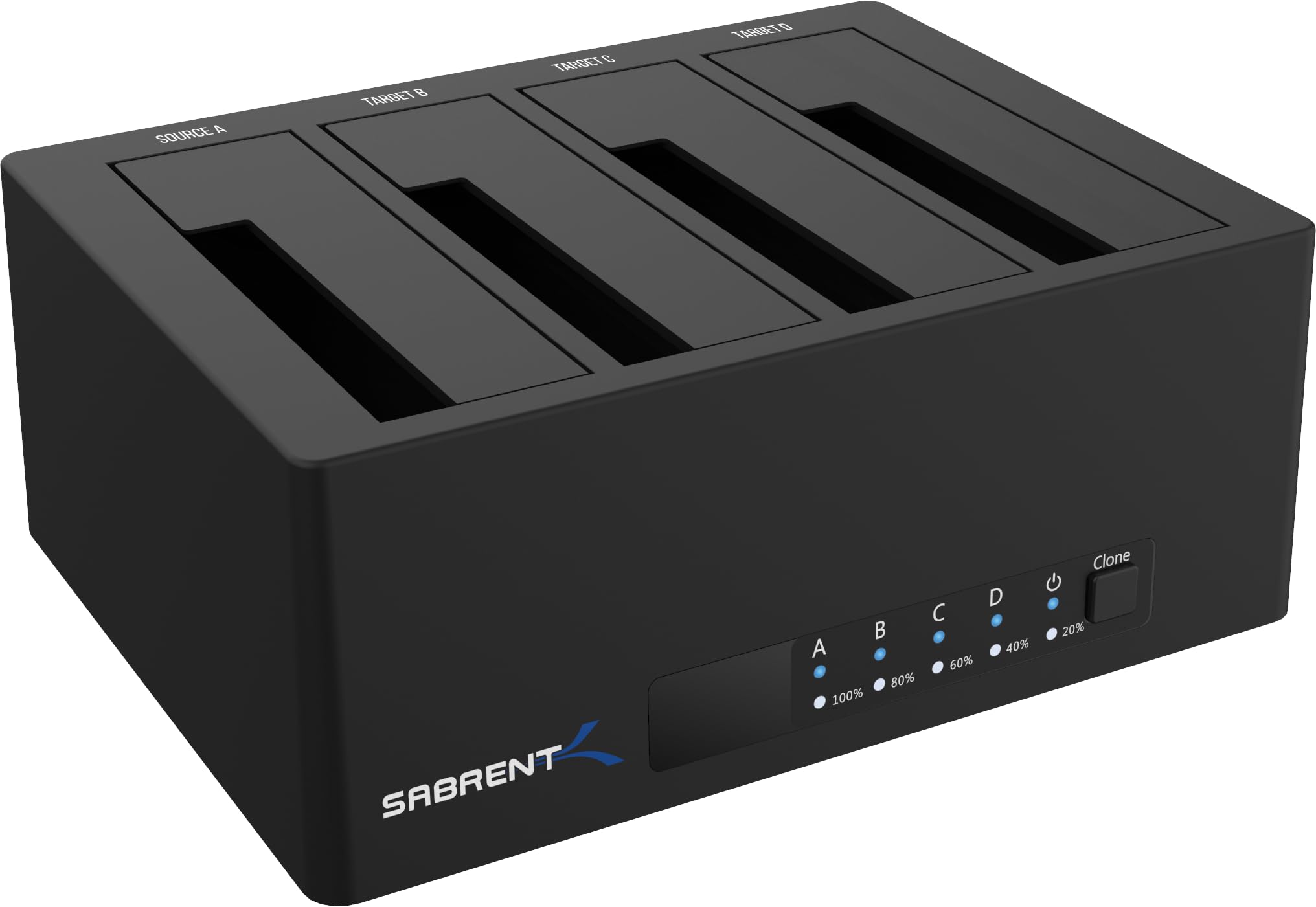
The SABRENT DS-U3B4 review comes down to a useful combination: four SATA drive bays, a USB 3.0 computer connection, and offline cloning in one desktop unit.
It suits people who manage several 2.5- or 3.5-inch HDDs and SSDs, provided they want a dock for direct drive access rather than a permanent multi-drive storage system.
SABRENT DS-U3B4 Review Summary
The quick verdict
17,000+ ratings
Read Amazon ReviewsSABRENT DS-U3B4
A practical fit for people who regularly access, back up, or clone several 2.5- and 3.5-inch SATA drives from one desktop dock.
- Four bays support up to four 2.5-inch or 3.5-inch SATA HDDs and SSDs.
- USB 3.0 connects the dock to a computer, with transfer speeds up to 5Gbps.
- Backward compatibility with USB 2.0 systems allows connection to older hosts.
- Trayless drive slots allow direct insertion without trays or tools; power the dock off when inserting or removing drives.

Pros
- Four bays let one dock accommodate several SATA drives at once.
- Supports both 2.5-inch and 3.5-inch SATA HDDs and SSDs.
Consider before buying
- The USB 3.0 connection's maximum is up to 5Gbps; actual transfer rates depend on the connected drives and system.
- The dock's multi-bay footprint and external adapter make it better suited to a workspace than frequent travel.
Read the full review summary
The DS-U3B4 can hold up to four 2.5-inch or 3.5-inch SATA drives, giving backup and file-management routines room to work with multiple disks from a single dock.
Drives insert directly without trays or tools, and the USB 3.0 connection supports transfers up to 5Gbps; that is a connection ceiling, not a promise of a particular real-world transfer rate.
Offline cloning is its other defining capability: a drive-to-drive copy can run without a computer, with LEDs showing clone progress.
This makes the dock worth considering for users who often handle drive copies as well as computer-based file access.
Before buying, check that your drives use the supported SATA formats and that four open bays match how you plan to use the dock.
The buying factors
SABRENT DS-U3B4 Scorecard
Editorial scores reflect listed features and buyer fit; they are not laboratory measurements or customer ratings.
Drive capacity
Four bays and support for up to four 2.5-inch or 3.5-inch SATA drives give this dock more simultaneous capacity than a basic single-drive dock.
Drive-format flexibility
It accommodates both 2.5-inch and 3.5-inch SATA HDDs and SSDs, covering common desktop and laptop drive formats.
Computer connectivity
USB 3.0 supports transfer speeds up to 5Gbps and works with USB 2.0 systems, though older connections may operate at their own limits.
Offline cloning
Direct drive-to-drive cloning without a computer is a useful feature for copying drives, and progress LEDs provide a visible status cue.
Setup convenience
Trayless, tool-free insertion and plug-and-play operation simplify access, while the included power adapter supports operation with multiple drives installed.
Everyday portability
The four-bay design and external power adapter favor a stationary workspace over a compact, carry-along dock.
Key Features and Specifications of SABRENT DS-U3B4
- Four bays support up to four 2.5-inch or 3.5-inch SATA HDDs and SSDs.
- USB 3.0 connects the dock to a computer, with transfer speeds up to 5Gbps.
- Backward compatibility with USB 2.0 systems allows connection to older hosts.
- Trayless drive slots allow direct insertion without trays or tools; power the dock off when inserting or removing drives.
- Offline cloning copies directly from one drive to another without a computer, with LED indicators showing progress.
- Plug-and-play operation requires no drivers or software, and an external power adapter is included.
Pros and Cons of SABRENT DS-U3B4
Pros
- Four bays let one dock accommodate several SATA drives at once.
- Supports both 2.5-inch and 3.5-inch SATA HDDs and SSDs.
- Offline cloning can be done without a computer, and progress LEDs indicate the operation's status.
- Tool-free, trayless insertion helps make swapping drives straightforward.
- USB 2.0 backward compatibility and plug-and-play setup add flexibility across computer setups.
Consider before buying
- The USB 3.0 connection's maximum is up to 5Gbps; actual transfer rates depend on the connected drives and system.
- The dock's multi-bay footprint and external adapter make it better suited to a workspace than frequent travel.
- Cloning is described as drive-to-drive; confirm that the source, target, and copy workflow fit your intended migration before relying on it.
Who Should Buy SABRENT DS-U3B4?
Good fit
Consider the DS-U3B4 if you routinely connect several SATA drives for file access, backups, or general drive management.
Its four bays can reduce the need to rotate drives through a smaller dock, while the trayless layout keeps access simple when the dock is powered off.
It is especially relevant if offline cloning is part of your routine. Because copying runs without a computer and progress LEDs show activity, it can handle a direct drive-to-drive task without requiring a software-based workflow.
Check the drive formats and capacities involved before making it central to a migration plan.
For a home workshop or desk used for backups and maintenance, the blend of multi-drive access and cloning is the strongest reason to choose this model.
The included adapter and plug-and-play design make the setup self-contained, while its USB connection lets it work with a compatible computer for ordinary file access.
Who should skip it
Skip it if you only need a compact way to read one drive occasionally; four bays may take more desk space and capacity than that routine requires.
A simpler dock may be a better match for occasional single-drive access.
Look elsewhere if your workflow depends on a different drive format or requires a connection faster than the USB 3.0 interface's stated ceiling. Confirm drive compatibility and host connections for your particular setup before purchase.
How the SABRENT DS-U3B4 Fits a Multi-Drive Desk
Four bays change the workflow
A single dock can make an individual drive easy to access, but this model is designed for a broader bench setup.
Supporting up to four 2.5-inch or 3.5-inch SATA drives means several disks can be available in one place for file access, backups, or management.
That capacity is useful when drives are part of a regular rotation; it may be unnecessary if you connect only one disk from time to time.
USB 3.0 supports computer access
The dock connects to a computer through USB 3.0, with a stated maximum of 5Gbps and backward compatibility with USB 2.0.
The maximum describes the connection rather than a guaranteed drive-to-computer rate, so the disks and host also shape what a transfer can achieve.
If your computer has only USB 2.0, the dock can still connect, but the older interface has a lower ceiling.
Offline cloning is a distinct convenience
Drive-to-drive cloning without a computer is a notable feature for someone who regularly duplicates or migrates SATA drives. The progress LEDs give a visual indication while a clone is under way.
Before using this for a particular migration, check that the source and target drives and the direction of copying fit the job you need to perform.
Trayless access favors hands-on use
Direct insertion without trays or tools makes the dock convenient for changing drives at a desk.
The instruction to power it off when inserting or removing drives is important to the routine, so this design is best for deliberate swaps rather than treating the bays as permanent storage.
An external adapter is included for operation with multiple installed drives.
Alternatives to SABRENT DS-U3B4
Hard Drive Docking Stations alternative
17,000+ ratings
Read Amazon ReviewsSABRENT EC-HD2B Dual-Bay Dock and Cloner
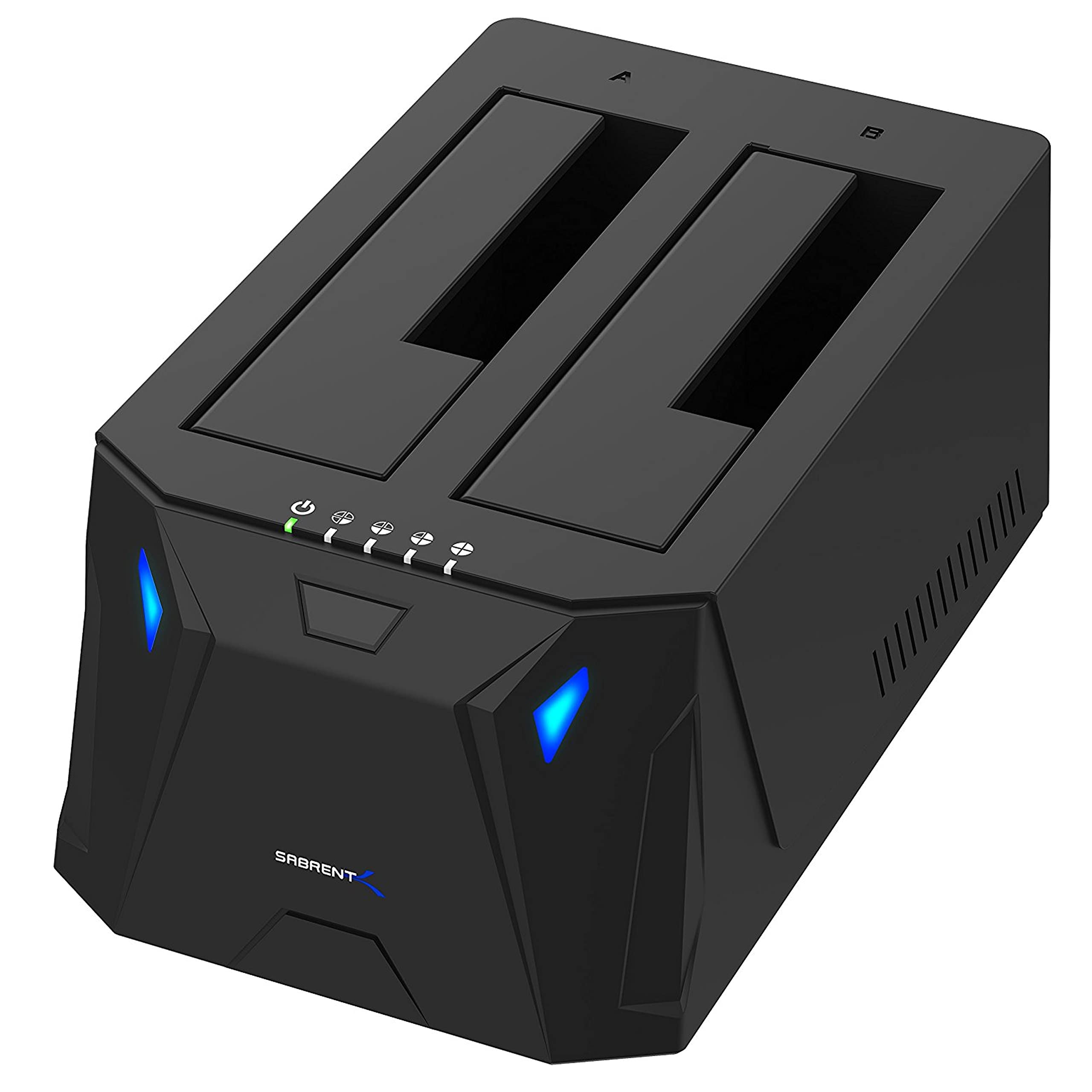
Choose the DS-U3B4 when having up to four drives available in one dock matters. The EC-HD2B is a more focused fit if two bays cover your routine; check its stated drive-support limit against your drives before choosing it.
- The EC-HD2B supports two standard 2.5-inch or 3.5-inch SATA HDDs or SSDs, offers offline cloning, and lists transfer speeds up to 5Gbps over USB 3.0.
- Its description also gives a drive-support limit of up to 10TB.
- The DS-U3B4 has four bays for 2.5-inch or 3.5-inch SATA drives, USB 3.0 connectivity, and offline cloning.
Hard Drive Docking Stations alternative
1,000+ ratings
Read Amazon ReviewsSABRENT EC-CH2B Dual-Bay USB-C SATA Dock and Cloner
Prefer the DS-U3B4 if four bays are useful for your drive-management routine.
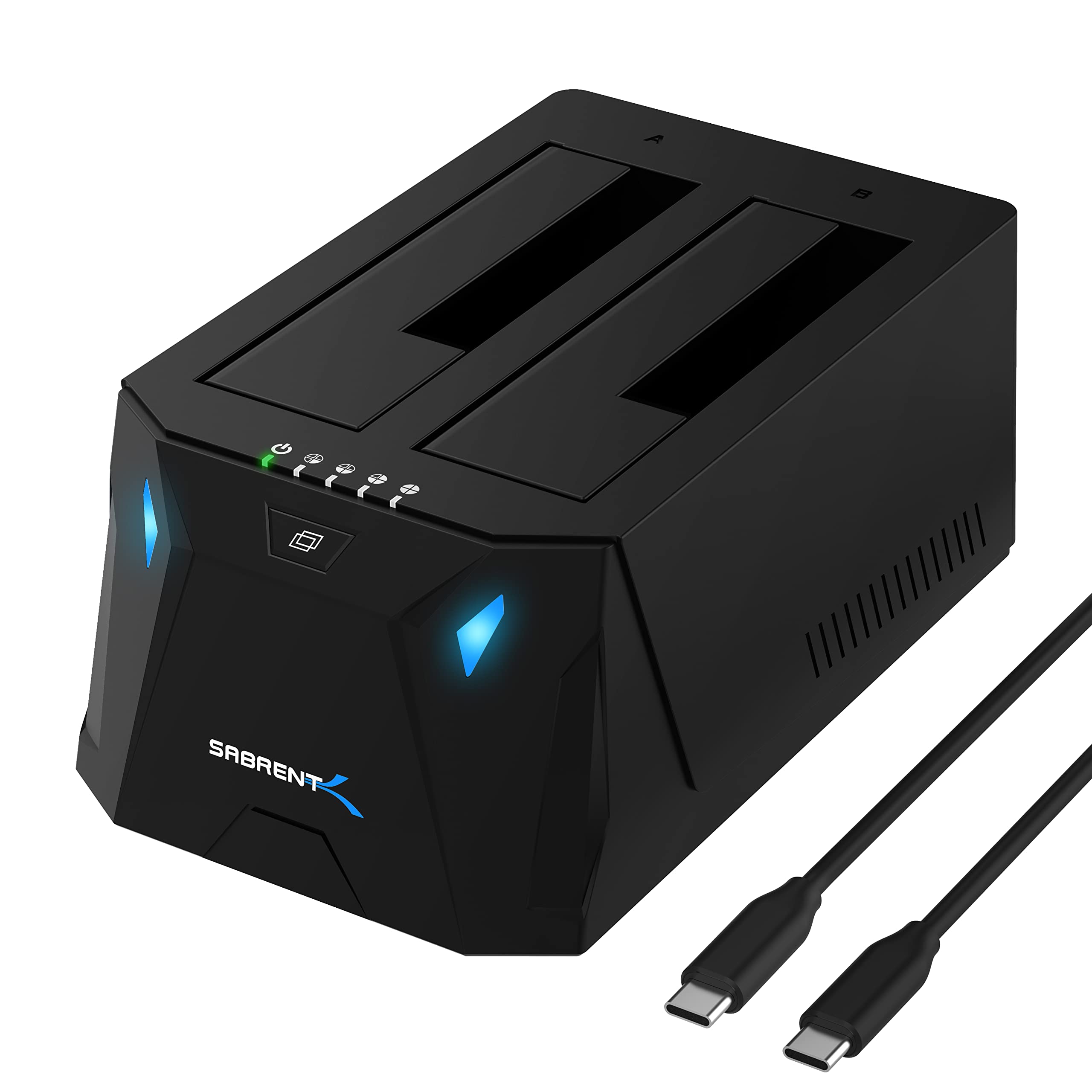
The EC-CH2B may suit a two-drive setup where USB Type-C, simultaneous access, or its stated drive-capacity support is a better match; check that its connection and drive support fit your equipment.
- The EC-CH2B supports two 2.5-inch or 3.5-inch SATA HDDs, offers offline cloning and simultaneous read/write access, and uses a USB Type-C connection with speeds up to 5Gbps.
- Its description lists support for drives up to 20TB or more.
- The DS-U3B4 supports up to four 2.5-inch or 3.5-inch SATA drives and connects over USB 3.0.
Is SABRENT DS-U3B4 Worth It?
The SABRENT DS-U3B4 is worth considering for a desk-based workflow that regularly involves several 2.5-inch or 3.5-inch SATA drives.
Four bays, tool-free insertion, USB 3.0 computer access, and offline cloning make it a versatile combination for backups and drive management.
Its appeal depends on needing that capacity: the multi-bay format takes a workspace, the connection tops out at up to 5Gbps, and the cloning workflow should be checked against the specific drives involved.
If those tradeoffs suit your setup, it is a strong candidate for keeping multi-drive access and direct cloning in one dock.
Your review at a glance
17,000+ ratings
Read Amazon ReviewsSABRENT DS-U3B4
A practical fit for people who regularly access, back up, or clone several 2.5- and 3.5-inch SATA drives from one desktop dock.
- Four bays support up to four 2.5-inch or 3.5-inch SATA HDDs and SSDs.
- USB 3.0 connects the dock to a computer, with transfer speeds up to 5Gbps.
- Backward compatibility with USB 2.0 systems allows connection to older hosts.
- Trayless drive slots allow direct insertion without trays or tools; power the dock off when inserting or removing drives.