The SIHOO Doro C300 Ergonomic Office Chair review comes down to how well its moving support and broad adjustment range fit your everyday sitting habits.
It combines a height-adjustable backrest, adaptive lumbar support and weight-sensing recline for people who shift between focused desk work and leaning back.
Doro C300 Review Summary
The quick verdict
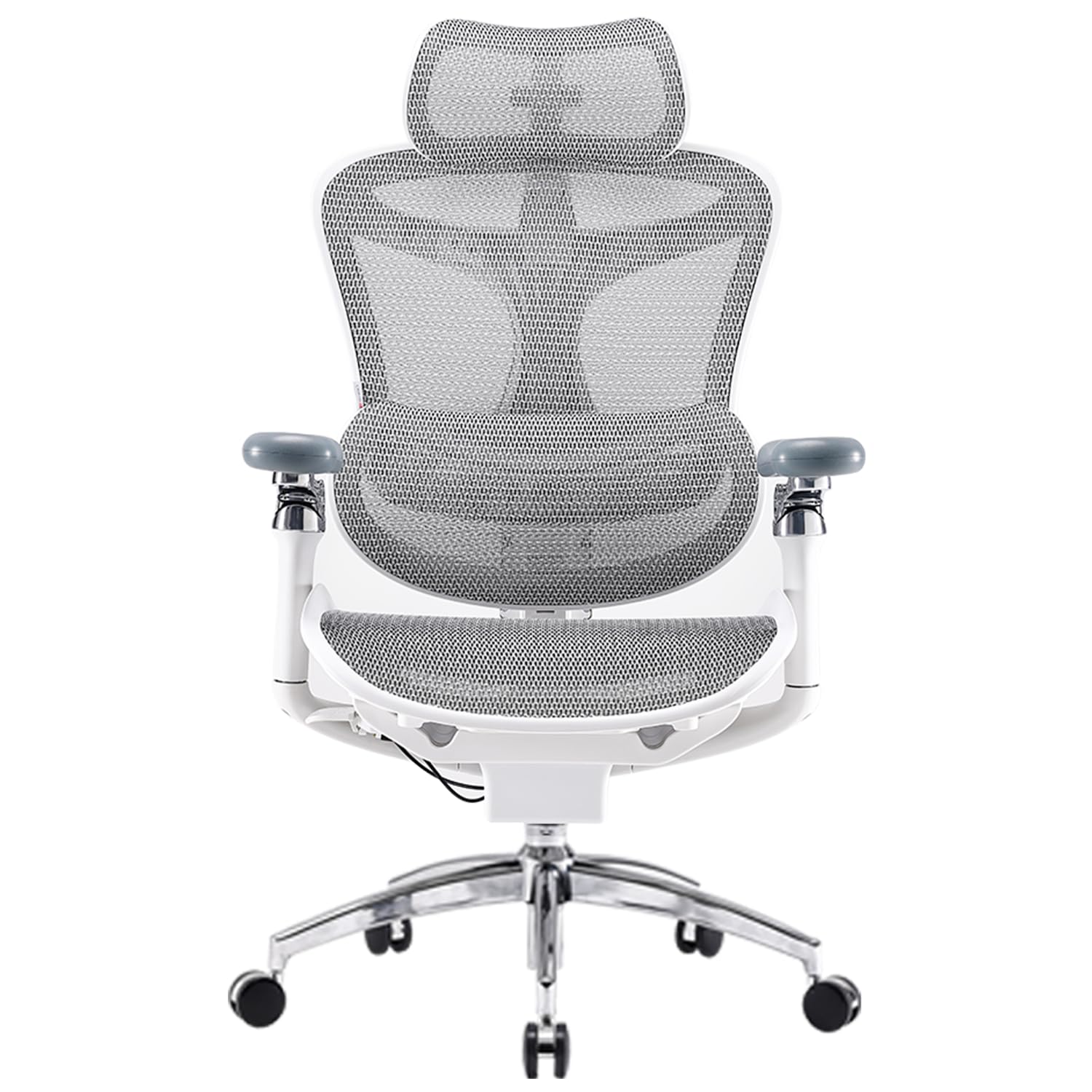
1,000+ ratings
Read Amazon ReviewsSIHOO Doro C300
A highly adjustable office chair for buyers who want moving lumbar support, flexible arm positioning and a choice of reclining angles.
- Dynamic backrest system is designed to adjust to the natural curve of the back as the sitter moves.
- Backrest height has four settings and adjusts through a 2.36-inch range.
- Adaptive lumbar support moves with the user's posture.
- Three-direction armrests allow customized positioning, including while reclining.

Pros
- Moving lumbar support is intended to follow posture changes instead of relying on one fixed back position.
- The backrest's four height settings give buyers several ways to align the support area.
Consider before buying
- The listed recline positions stop at 130°, which may not suit buyers who want a deeper resting angle.
- The product details do not give seat dimensions or a recommended height range; buyers should confirm overall fit for their body and desk.
Read the full review summary
The Doro C300 is designed to adapt as you move rather than hold you in one fixed sitting position.
Its backrest adjusts across four height settings within a 2.36-inch range, while the lumbar support is described as moving with the user.
The three-direction armrests and three recline positions add ways to tune the chair around your desk posture and breaks.
This setup may suit a shared workspace or someone who wants several adjustments without manually resetting recline tension.
The supplied details do not specify seat dimensions or a user-height range, so fit still deserves attention: check that the chair's proportions and backrest position work for your body and desk before choosing it for extended daily use.
The buying factors
Doro C300 Scorecard
Editorial scores reflect listed features and buyer fit; they are not laboratory measurements or customer ratings.
Backrest adjustability
Four height settings and 2.36 inches of travel provide useful scope to position the back support.
Lumbar adaptation
The lumbar support is designed to shift with movement, which can appeal to people who change posture often.
Armrest flexibility
Three-direction adjustment offers more positioning options than a fixed armrest design.
Recline options
Three defined tilt positions cover upright work and more relaxed leaning, though the choices are finite.
Recline convenience
Weight-sensing recline is intended to adapt resistance to the sitter without manual tension tuning.
Ownership reassurance
The description includes a three-year warranty and named certifications, useful details for a substantial desk-chair purchase.
Key Features and Specifications of Doro C300
- Dynamic backrest system is designed to adjust to the natural curve of the back as the sitter moves.
- Backrest height has four settings and adjusts through a 2.36-inch range.
- Adaptive lumbar support moves with the user's posture.
- Three-direction armrests allow customized positioning, including while reclining.
- Three tilt positions are listed: 110°, 120° and 130°.
- Weight-sensing recline is designed to adjust to the user's body weight.
- The chair is described as TÜV certified, meeting REACH and EN1335 standards, with an SGS-certified four-stage pneumatic lift and a three-year warranty.
Pros and Cons of Doro C300
Pros
- Moving lumbar support is intended to follow posture changes instead of relying on one fixed back position.
- The backrest's four height settings give buyers several ways to align the support area.
- Three-way armrest adjustment can help accommodate different desk and reclining positions.
- Weight-sensing recline may make changing posture simpler by adapting tilt resistance automatically.
- A three-year warranty and specified safety and quality certifications add useful ownership context.
Consider before buying
- The listed recline positions stop at 130°, which may not suit buyers who want a deeper resting angle.
- The product details do not give seat dimensions or a recommended height range; buyers should confirm overall fit for their body and desk.
- The chair's adaptive features provide limited value to someone who prefers a simple, fixed sitting setup.
Who Should Buy Doro C300?
Good fit
Consider the Doro C300 if you spend much of the day at a desk and want the back support to move as you shift between upright work and leaning back.
The combination of adjustable back height and adaptive lumbar support gives you more opportunity to position the chair around your posture than a basic fixed back.
It is also a reasonable fit if adjustable arm support matters to your setup.
Three-direction positioning can help you find a comfortable relationship between your arms, desk and backrest, while the weight-sensing recline is intended to remove the need to set tilt resistance manually.
Before buying, check whether the chair's overall proportions suit you and whether its three recline angles match how you take breaks.
The specified certifications and three-year warranty are useful considerations, but they do not replace checking the fit and adjustments that matter in your workspace.
Who should skip it
Look elsewhere if your preferred break posture requires a recline angle beyond the listed 130° maximum, or if you need seat dimensions and a defined user-height range to confirm fit before purchasing.
A buyer who does not expect to use adjustable armrests, moving lumbar support or recline may find the C300's adjustment-focused design less relevant to their needs.
How the Doro C300's adjustments shape everyday desk use
Back support that follows movement
The C300's central idea is a backrest and lumbar area that respond as the sitter changes position.
That can be useful for people who alternate between typing upright and shifting back in the chair, because support is designed to move with them.
The listed backrest height range offers a separate way to place that support; take time to find a setting that aligns with your back rather than assuming one position works for everyone.
Armrests and desk alignment
Three-direction armrest adjustment matters when a chair has to work with a particular desk height and working posture.
Positioning the arms can help you settle into a comfortable typing stance, and the description notes that adjustment remains available while reclining.
Check that the armrests can sit where you want relative to your desk, especially if you need to tuck the chair close to it.
A defined range for reclining
The three listed tilt positions give the chair a clear progression from a more upright angle to a more relaxed one.
Weight-sensing recline is designed to adapt to body weight, which may make leaning back feel less like a separate adjustment task.
The maximum listed angle is 130°, so buyers who expect a deeper recline should decide whether that range is enough for their breaks.
Fit and ownership details
The C300 description names TÜV certification, REACH and EN1335 standards, an SGS-certified four-stage pneumatic lift and a three-year warranty.
These details help frame the product's construction and support provisions, but choosing a chair still depends on how its dimensions fit you.
Since seat measurements and a user-height range are not included here, confirm those practical fit questions before committing.
Alternatives to Doro C300
Home Office Desk Chairs alternative
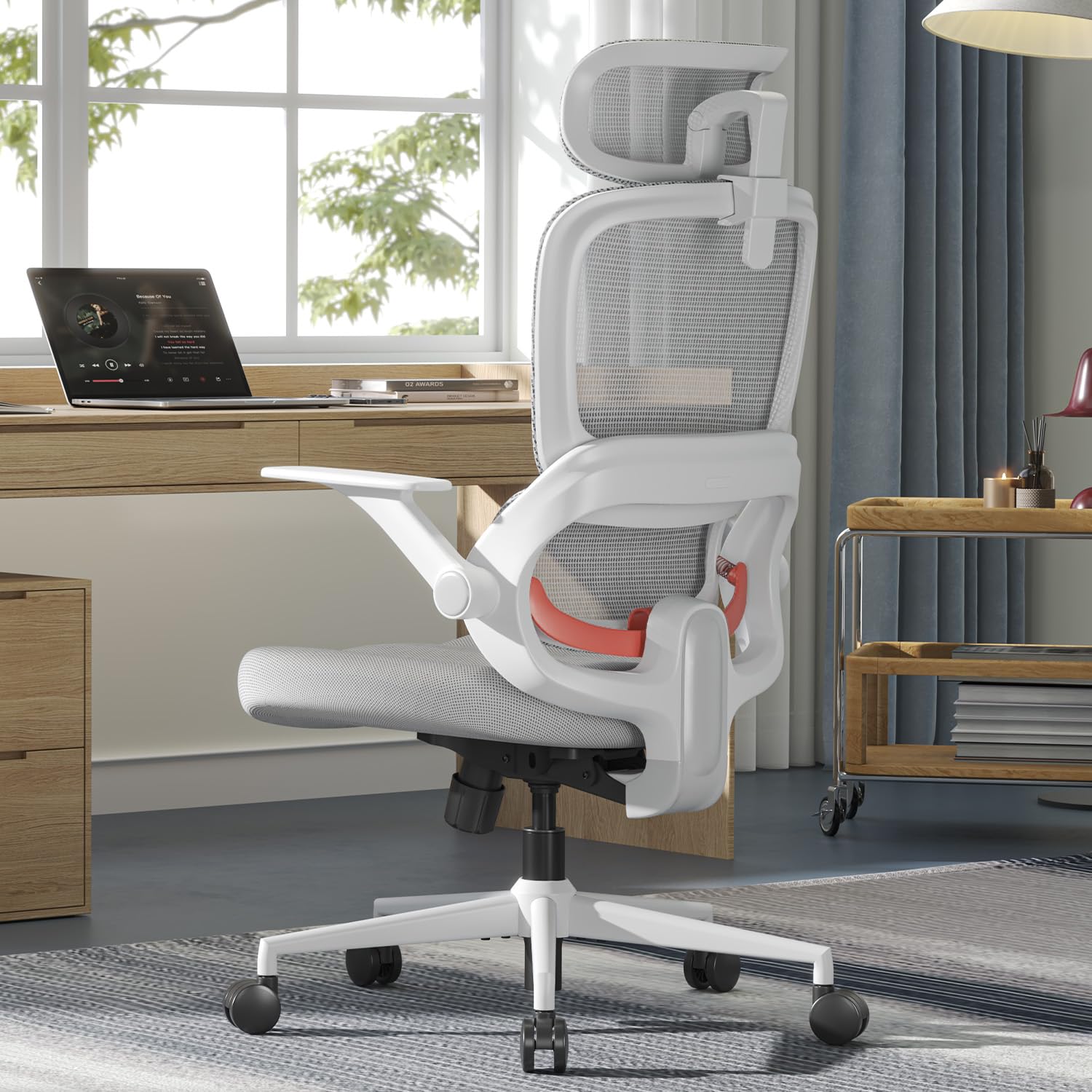
17,000+ ratings
Read Amazon ReviewsSIHOO B300 PRO
Consider the B300 PRO if seat-depth adjustment and more armrest directions are priorities in your fit. The C300 remains a better match if its specified three-position tilt range and straightforward backrest height settings address your needs.
- The B300 PRO description includes adjustable seat depth, a height-adjustable backrest, a spring-assisted four-way lumbar system and six-direction armrests. It also describes weight-sensing recline.
- The Doro C300 has three listed reclining angles up to 130°, a three-direction armrest design and a backrest with four height settings across 2.36 inches.
Home Office Desk Chairs alternative
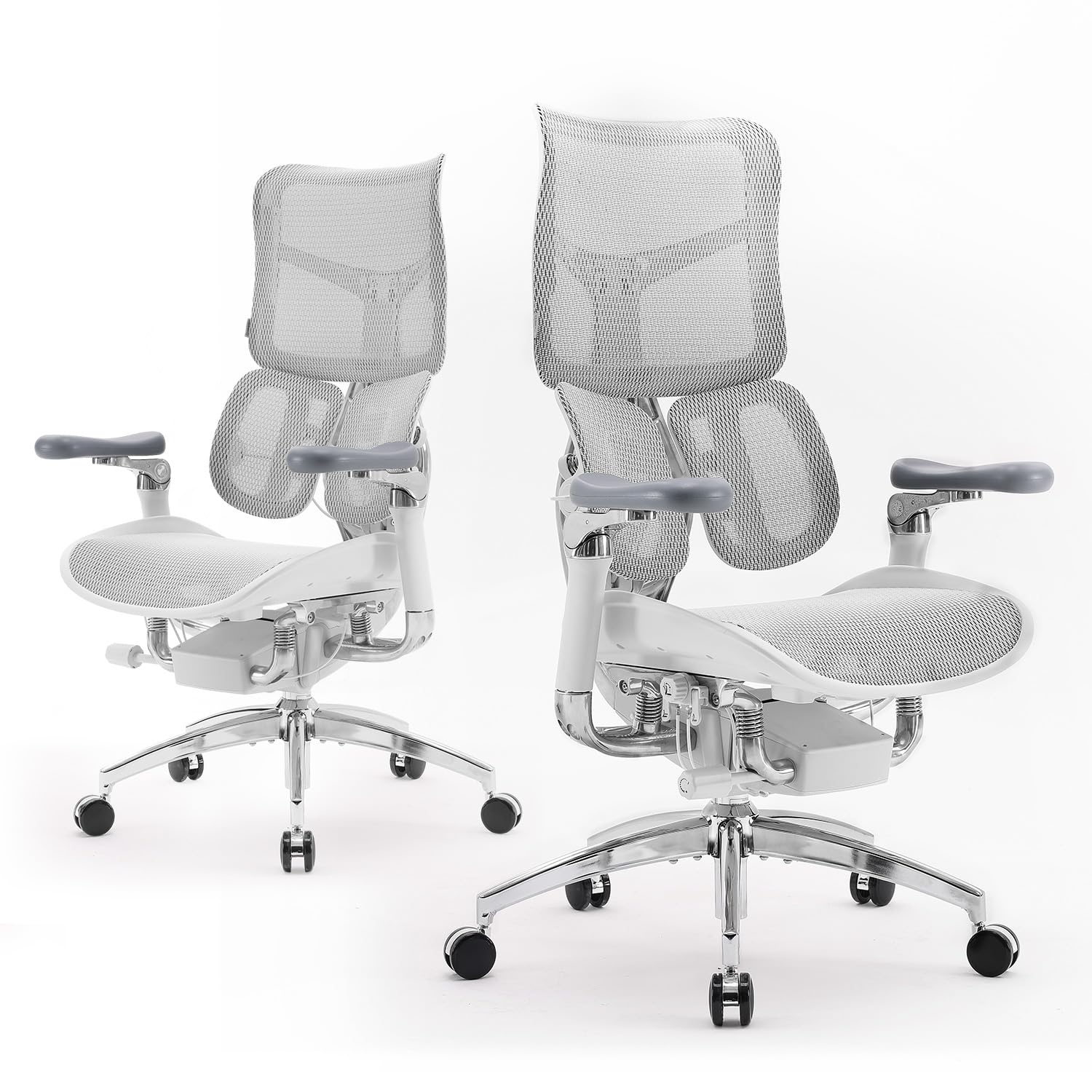
100+ ratings
Read Amazon ReviewsSIHOO Doro S300
The Doro S300 may suit a buyer who wants more armrest adjustment directions and manual tuning of recline tension. Choose the C300 if its simpler three-way armrests and weight-sensing recline better fit your preferred adjustment style.
- The Doro S300 is described with dual dynamic lumbar support, six-direction coordinated armrests and an adjustable tension system for its recline mechanism.
- The Doro C300 offers adaptive lumbar support, three-direction armrests and three specified tilt positions.
Is Doro C300 Worth It?
The SIHOO Doro C300 is worth considering if you want an office chair built around adaptable back support, adjustable armrests and convenient reclining.
Its mix of moving lumbar support, four backrest height settings and weight-sensing tilt gives posture changers several useful features to work with.
Check the chair's fit carefully, since the supplied details do not provide seat dimensions or a user-height range, and think about whether 130° is enough recline for your breaks.
If those constraints suit your workspace and habits, the C300 is a plausible choice for a more adjustable desk setup.
Your review at a glance
1,000+ ratings
Read Amazon ReviewsSIHOO Doro C300
A highly adjustable office chair for buyers who want moving lumbar support, flexible arm positioning and a choice of reclining angles.
- Dynamic backrest system is designed to adjust to the natural curve of the back as the sitter moves.
- Backrest height has four settings and adjusts through a 2.36-inch range.
- Adaptive lumbar support moves with the user's posture.
- Three-direction armrests allow customized positioning, including while reclining.