This Silkland 54Gbps 16K DisplayPort Cable 2.1 review looks at a 10-foot, male-to-male cable built for high-refresh gaming and multi-monitor connections.
Its main appeal is a blend of long reach, broad DisplayPort backward compatibility, and support for high-resolution modes when the connected graphics card and display can use them.
Silkland DisplayPort Cable Review Summary
The quick verdict
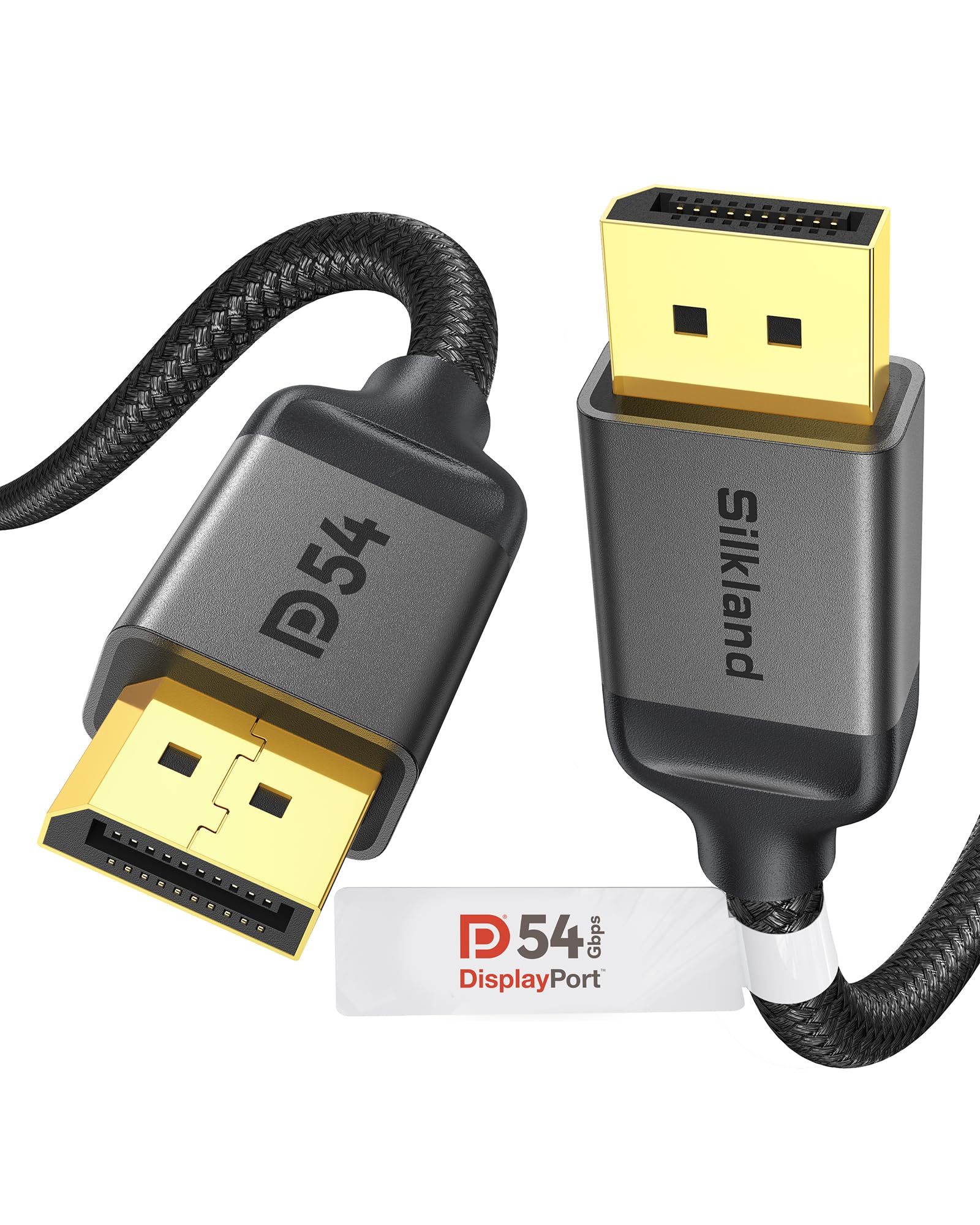
7,000+ ratings
Read Amazon ReviewsSilkland 54Gbps DisplayPort Cable 2.1
A 10-foot DisplayPort cable for gaming and high-resolution monitor setups that need reach, broad backward compatibility, and a braided exterior.
- DisplayPort male-to-male cable, 10 feet long, with a round, grey braided exterior.
- Rated for 54Gbps bandwidth and lists up to 16K at 60Hz with DSC, 8K at 120Hz, 4K at up to 240Hz, and 2K at 360Hz.
- Supports Dynamic HDR, HDCP 2.2, DSC 1.2a, 3D stereo imaging, and multistream transmission.
- Backward compatible with DisplayPort 2.0, 1.4, 1.3, 1.2, 1.2a, 1.1, and 1.0.

Pros
- The 10-foot length gives useful reach for a tower placed beside or beneath a desk.
- Its listed resolution and refresh-rate options cover demanding gaming and high-resolution display setups when system components support them.
Consider before buying
- To reach the highest listed resolutions and refresh rates, the graphics card, monitor, and any required DSC support must align.
- A 10-foot cable can leave extra slack in a compact desk setup, so measure the route and consider how it will be managed.
Read the full review summary
The Silkland cable combines a 10-foot length with a 54Gbps bandwidth rating and support for resolutions up to 16K at 60Hz with DSC.
It also lists 8K at 120Hz and 4K at up to 240Hz, alongside Dynamic HDR, HDCP 2.2, DSC 1.2a, and multichannel audio pass-through.
That makes it a flexible option for a gaming desk where the computer and monitor are not close together, or for a setup that may change over time.
Its fit depends on the rest of the signal chain: the graphics card, monitor, resolution, refresh rate, and compression support all affect which modes are available.
The cable’s compatibility list covers older DisplayPort versions, while its braided jacket, no-buckle connector design, and 24-month service period add practical considerations beyond bandwidth.
Buyers should choose it for the combination of length and stated capabilities, rather than assuming every high-end mode will work with every system.
The buying factors
Silkland DisplayPort Cable Scorecard
Editorial scores reflect listed features and buyer fit; they are not laboratory measurements or customer ratings.
Bandwidth and resolution range
The listed 54Gbps bandwidth and modes up to 16K at 60Hz with DSC give it a broad high-resolution range, subject to source and display support.
High-refresh gaming fit
Support is listed for 4K at up to 240Hz and 2K at 360Hz, useful for compatible gaming displays.
Cable reach
Ten feet gives more placement flexibility than a short desk cable, though the longer run may need tidier routing.
Compatibility range
It is listed as backward compatible across several DisplayPort generations and supports DP, DP++, and sync technologies.
Build and handling
The braided exterior, triple shielding, tinned copper conductors, and grooved no-buckle plugs are practical design choices.
Setup flexibility
MST and multichannel audio pass-through broaden its possible uses, while actual modes remain dependent on the connected equipment.
Key Features and Specifications of Silkland DisplayPort Cable
- DisplayPort male-to-male cable, 10 feet long, with a round, grey braided exterior.
- Rated for 54Gbps bandwidth and lists up to 16K at 60Hz with DSC, 8K at 120Hz, 4K at up to 240Hz, and 2K at 360Hz.
- Supports Dynamic HDR, HDCP 2.2, DSC 1.2a, 3D stereo imaging, and multistream transmission.
- Backward compatible with DisplayPort 2.0, 1.4, 1.3, 1.2, 1.2a, 1.1, and 1.0.
- Lists uncompressed digital audio pass-through for 7.1, 5.1, and 2.0 channel configurations.
- Uses 28AWG tinned copper conductors, triple shielding, 24K gold-plated connectors, and a no-buckle plug with a groove for removal.
- Includes a 24-month post-sales service period, with technical support described as available within 18 hours.
Pros and Cons of Silkland DisplayPort Cable
Pros
- The 10-foot length gives useful reach for a tower placed beside or beneath a desk.
- Its listed resolution and refresh-rate options cover demanding gaming and high-resolution display setups when system components support them.
- Backward compatibility makes it a possible fit for systems using earlier DisplayPort versions.
- The grooved, no-buckle plug is designed for easier removal where connector access is tight.
- Braiding and triple shielding provide a sturdier-feeling construction than a basic smooth cable design.
Consider before buying
- To reach the highest listed resolutions and refresh rates, the graphics card, monitor, and any required DSC support must align.
- A 10-foot cable can leave extra slack in a compact desk setup, so measure the route and consider how it will be managed.
- The stated bandwidth is lower than newer 80Gbps DisplayPort 2.1 cable options, which may matter when planning around the highest supported display modes.
Who Should Buy Silkland DisplayPort Cable?
Good fit
Consider this cable if your monitor and computer use DisplayPort, you need around 10 feet of reach, and you want a cable with support for both current high-refresh modes and older DisplayPort systems.
Before buying, check the target resolution and refresh rate against the specifications for both ends of the connection, including whether the mode requires DSC.
It is also a reasonable choice for a setup where cable handling matters: the no-buckle plug is shaped for removal in tighter spaces, and the braided construction may suit a cable that gets moved or rerouted.
The stated service period gives buyers a defined window for contacting Silkland technical support if an issue arises.
Who should skip it
Look elsewhere if your setup specifically needs a cable rated for 80Gbps or if your graphics card and monitor require a different connection type.
For a desk where the computer and display sit very close together, measure first; a shorter cable may make routing simpler.
How the Silkland DisplayPort Cable fits a gaming setup
High refresh rates depend on the whole setup
The cable’s headline modes are relevant to fast gaming displays, including 4K at up to 240Hz and 2K at 360Hz.
Treat these as supported use cases rather than guaranteed results: the source device, display, selected resolution, refresh setting, and compression requirements all have to match.
Ten feet prioritizes placement flexibility
A 10-foot run can make it easier to position a computer away from the monitor or route around desk furniture.
That extra reach may also create slack on a compact desk, so measure the actual route and allow room for gentle bends rather than choosing by straight-line distance alone.
Connector details affect everyday handling
The plugs omit a release buckle and use a groove to help with removal, a useful design detail when the back of a monitor or PC is hard to reach.
The cable also pairs a braided outer layer with tinned copper conductors and triple shielding; these construction features describe its design, while they do not by themselves establish how it will perform in every installation.
Backward compatibility widens its possible role
Support for earlier DisplayPort versions may help the cable remain useful across different PCs and monitors.
However, backward compatibility does not make older equipment capable of newer display modes, so confirm the capabilities of both devices and the exact mode you want before relying on the cable for a particular setup.
Alternatives to Silkland DisplayPort Cable
Only one supplied option offers a distinct, relevant cable design for this comparison. Check the target display mode and cable length against your setup before choosing.
Computer DisplayPort Cables alternative
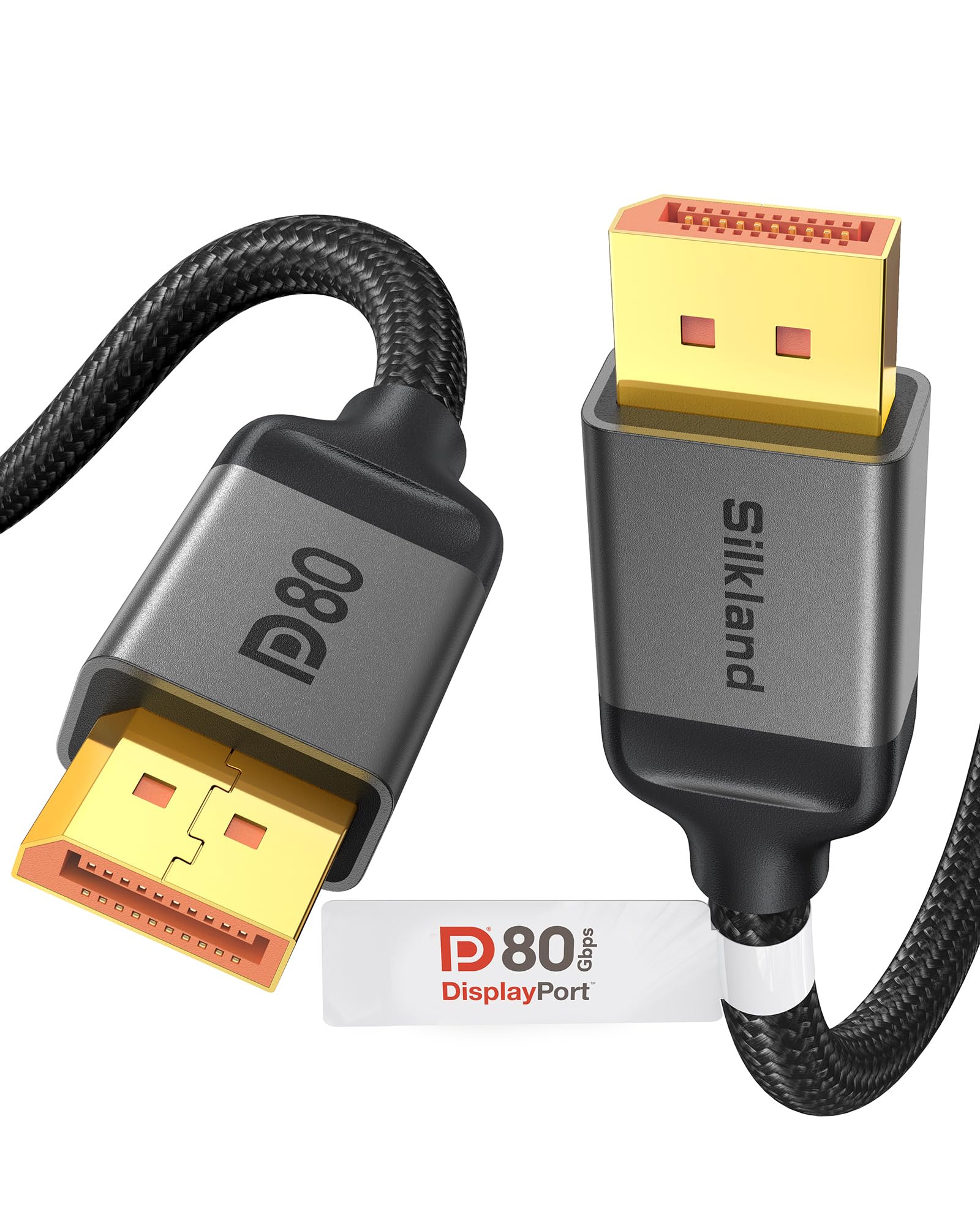
2,000+ ratings
Read Amazon ReviewsSilkland 80Gbps Short DisplayPort 2.1 Cable
Choose the 80Gbps model if you want a short, direct connection and its higher listed bandwidth suits your target display modes. The 10-foot main cable is the more practical fit when the computer and monitor need more separation.
- This alternative is 1.6 feet long and rated at 80Gbps.
- It lists uncompressed 4K at 240Hz, 8K at 60Hz, and 2K at 540Hz, with DSC-enabled modes up to 16K at 60Hz, 8K at 240Hz, and 4K at 540Hz.
- The main cable is 10 feet long and lists 54Gbps bandwidth, with support up to 16K at 60Hz using DSC.
Is Silkland DisplayPort Cable Worth It?
The Silkland 54Gbps DisplayPort Cable 2.1 is worth considering for a gaming or high-resolution desktop setup that needs a 10-foot run and benefits from backward compatibility.
Its listed refresh-rate range, braided build, and grooved no-buckle plugs make a useful combination for a flexible desk connection.
Buy it after checking that your graphics card and monitor support the resolution and refresh rate you intend to use, including any DSC requirement.
If you need a shorter run or specifically want an 80Gbps-rated cable, compare those needs before settling on this model.
Your review at a glance
7,000+ ratings
Read Amazon ReviewsSilkland 54Gbps DisplayPort Cable 2.1
A 10-foot DisplayPort cable for gaming and high-resolution monitor setups that need reach, broad backward compatibility, and a braided exterior.
- DisplayPort male-to-male cable, 10 feet long, with a round, grey braided exterior.
- Rated for 54Gbps bandwidth and lists up to 16K at 60Hz with DSC, 8K at 120Hz, 4K at up to 240Hz, and 2K at 360Hz.
- Supports Dynamic HDR, HDCP 2.2, DSC 1.2a, 3D stereo imaging, and multistream transmission.
- Backward compatible with DisplayPort 2.0, 1.4, 1.3, 1.2, 1.2a, 1.1, and 1.0.